

0. はじめに
デジタル画像処理に興味があるか、実際のプロジェクトで画像処理を行う必要がある開発者のための投稿を準備しました。
写真から背景を除去したり、主要な色を抽出することはデジタルアート、Web開発、モバイルアプリ、機械学習プロジェクトなど、さまざまな分野で活用されます。
これらの作業を行うには、複雑なアルゴリズムや高度な技術が必要なように思えますが、実際には非常に簡単です。
FastAPI、rembg、そしてextcolorsというPythonライブラリを活用すると、これらの作業を簡単にAPI化してさまざまなアプリケーションで活用することができます。この投稿では、これらの3つのツールを組み合わせて強力な画像処理APIを構築する方法を段階的に案内いたします。
1. FastAPIの基本構造を整える
1.1. 必要なパッケージのインストール
fastapiとそれを実行するためのuvicornをインストールします。
pip install fastapi
pip install uvicorn
1.2. Hello worldを出力する
main.pyに以下のコードを記述します:
# 패키지 import
from fastapi import FastAPI
import uvicorn


# Helper 함수 작성
# app = FastAPI()


# Endpoint 함수 작성
# # 루트 페이지("/") 접속 시 "Hello": "world" return
@app.get("/")
def read_root():
    return {
        "Hello": "world"
    }


if __name__ == "__main__":
    uvicorn.run(app, host='0.0.0.0', port=5000)
hostは '0.0.0.0'、portは 5000に設定します。
1.3. uvicornサーバーを起動する
ターミナルに以下を入力してください:
uvicorn main:app --reload
INFO:     Will watch for changes in these directories: ['PROJECT_DIRECTORY_PATH']
INFO:     Uvicorn running on <http://127.0.0.1:8000> (Press CTRL+C to quit)
INFO:     Started reloader process [9982] using StatReload
http://127.0.0.1:8000でuvicornサーバーが実行されています!
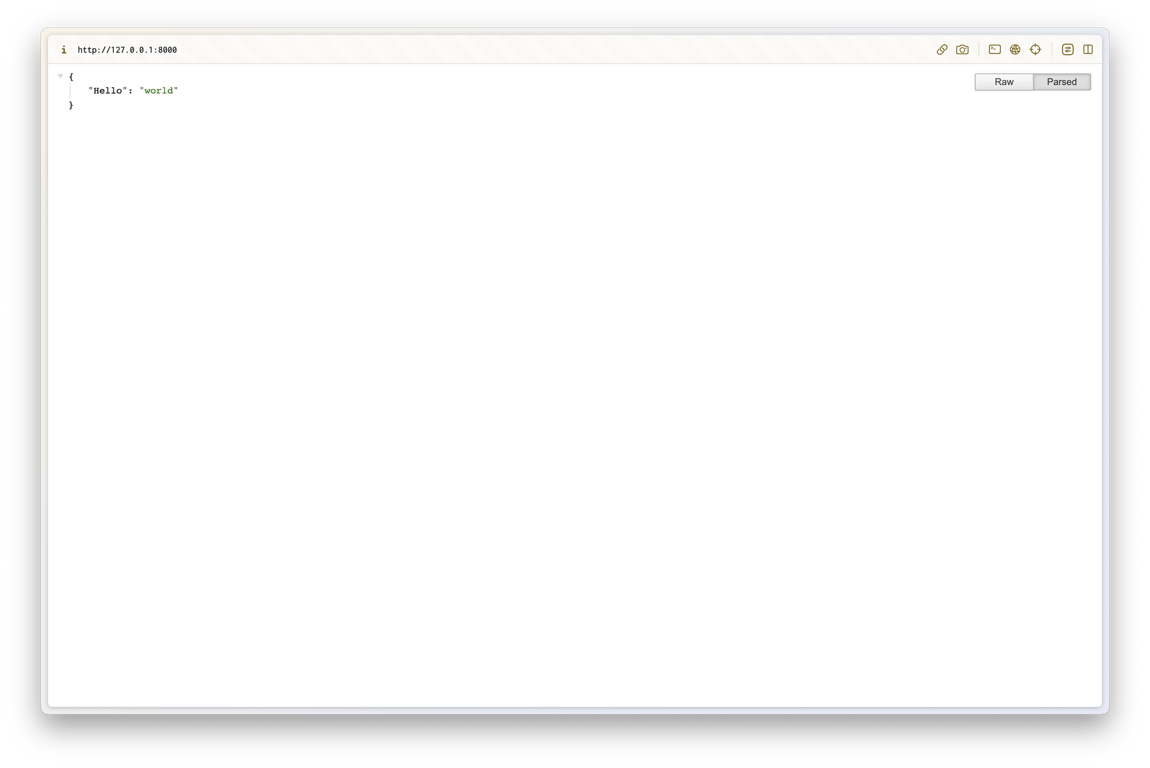
ルートページにアクセスしたときに正しい値が表示されることを確認できます。
2. 背景除去および色抽出APIの作成
2.1. 必要なパッケージのインストール
APIを作成するために必要なパッケージをインストールします:
pip install image
pip install rembg
pip install extcolors
以下のようにimportします:
import os
import request
from PIL import Image
from extcolors import extract_from_image
from rembg import remove
2.2. 画像保存ヘルパー関数
まず、画像URLを受け取り、画像ファイルを保存するヘルパー関数を作成してみましょう。
HTMLの<img>タグにはsrc属性がありますが、以下の関数はその属性にアクセスして画像ファイルを取得します。
def save_image(image_url):
    response = requests.get(image_url)

    # 이미지 저장 디렉토리
    download_dir_name = 'downloaded_images'
    if response.status_code == 200:
        # 파일 이름 얻기
        image_name = os.path.basename(image_url)

        # 파일 이름에 확장자 없다면 추가
        exts = [".jpg", ".jpeg", ".png", ".gif"]
        ext_included = False
        file_ext = None
        for ext in exts:
            if ext in image_name:
                ext_included = True
                file_ext = ext
                break

        if ext_included:
            image_name = image_name.split(file_ext)[0] + file_ext
        else:
            image_name += ".jpeg"
            file_ext = ".jpeg"

        # 저장 경로 없다면 생성
        if not os.path.exists(download_dir_name):
            os.makedirs(download_dir_name)

        # 파일 경로 얻기
        image_path = os.path.join(download_dir_name, image_name)

        # 파일 저장
        with open(image_path, 'wb') as f:
            f.write(response.content)

        result = {
            "message": "Image saved successfully!",
            "status_code": response.status_code,
            "image_path": image_path,
            "image_name": image_name,
            "file_ext": file_ext
        }
        return result
    else:
        return {
            "message": "Failed to save image",
            "status_code": response.status_code
        }
2.3. RGBを16進数に変換するヘルパー関数
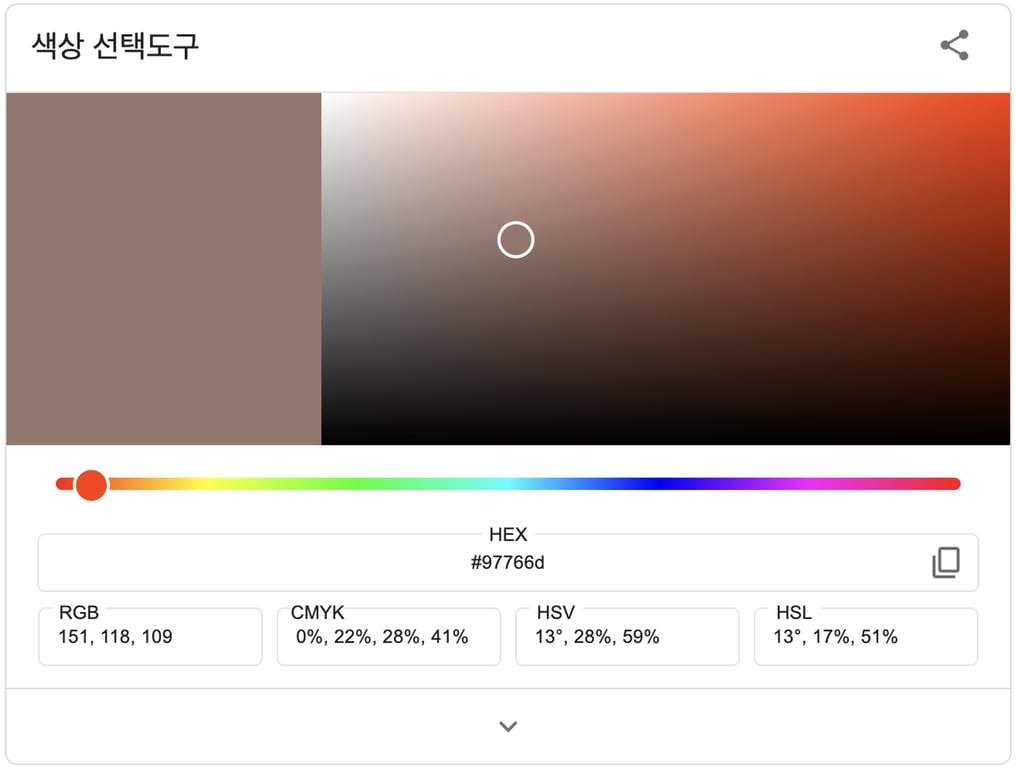
色を表示する方法はさまざまですが、このAPIでは色を抽出してRGBとHEX情報を提供します。
画像から色を抽出してRGBを取得し、それをHEXに変換するヘルパー関数を作成してみましょう。
def rgb_to_hex(rgb_tuple):
    r = int(rgb_tuple[0])
    g = int(rgb_tuple[1])
    b = int(rgb_tuple[2])
    return '#' + hex(r)[2:].zfill(2) + hex(g)[2:].zfill(2) + hex(b)[2:].zfill(2)
2.4. 背景除去エンドポイント関数
http://127.0.0.1:8000/rembg/{IMAGE_URL}
このようなURLにアクセスすると、画像を保存して背景を除去した後、画像のパスと画像の名前を返すエンドポイント関数を作成してみましょう。
@app.get('/rembg/{url:path}')
def remove_image_background(url: str):
    image_info = save_image(url) # 이미지 저장
    image_path = image_info["image_path"]
    image_name = image_info["image_name"]
    file_ext = image_info["file_ext"]
    image_name_without_ext = image_name.rsplit(file_ext, 1)[0]

    image = Image.open(image_path).convert('RGBA')
    output = remove(image)

    convert_dir_name = 'converted_images'

    # 저장 경로 없다면 생성
    if not os.path.exists(convert_dir_name):
        os.makedirs(convert_dir_name)

    out_image_path = os.path.join(convert_dir_name, f'{image_name_without_ext}_rembg.png')
    output.save(out_image_path, 'PNG')

    result = {
        "message": "The background of the image is successfully removed",
        "image_path": out_image_path,
        "image_name": image_name
    }
    return result
実行結果:
以下の画像のURLを入力して実行しました:

背景が除去された画像の保存パスと画像名を正常に受け取りました。
...
(続く)


