

Hello.
This time, I will introduce how to easily crawl store-specific menu data from Naver Maps.
For those who have been struggling to collect menu data for each store, I will now provide a solution, so feel free to crawl comfortably.
Use the 'Naver Map Collection Crawler' in Hashscraper to collect by entering the desired keyword and maximum number of collections.
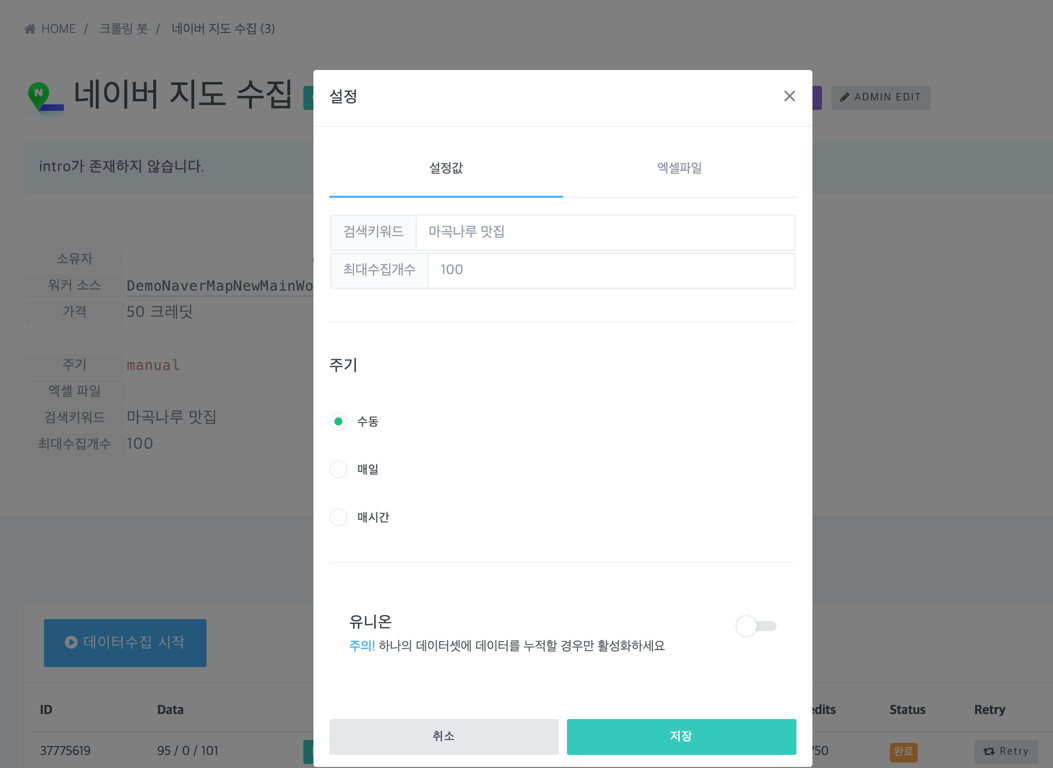
If you want more details, please refer to the following post.
Once the collection is complete, a unique number called SRID will be assigned to the collected results.
We will use this SRID to crawl the menu data of all stores in the dataset. Copy the SRID and go to the 'Naver Map Menu Collection Crawler'.
Refer to the description below and enter the copied SRID value into the parameter. Apply the SRID first if both the SRID value and the detailed page URL exist simultaneously.
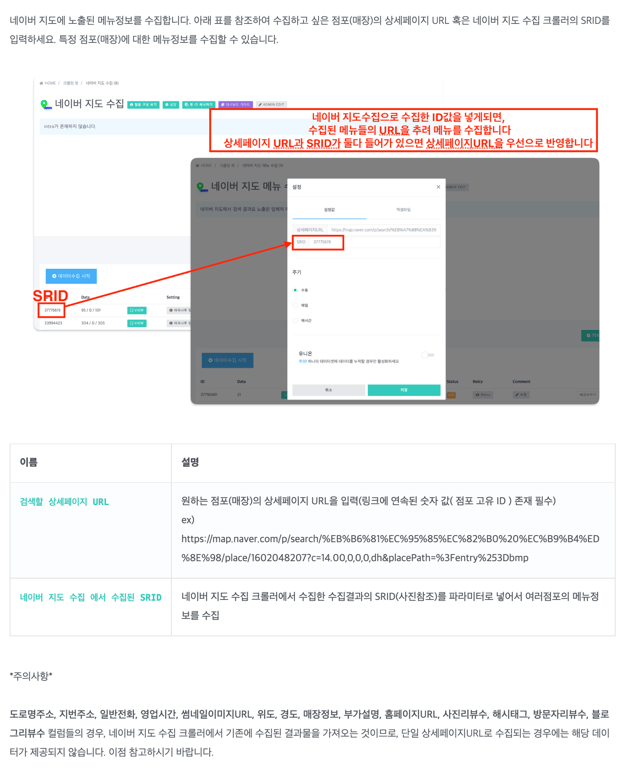
After completing the setup, click the collection button to proceed with the collection, and it will sequentially retrieve the menus of each store collected from the previous 'Naver Map Collection Crawler'.
The following is how the data looks like after being collected one by one.
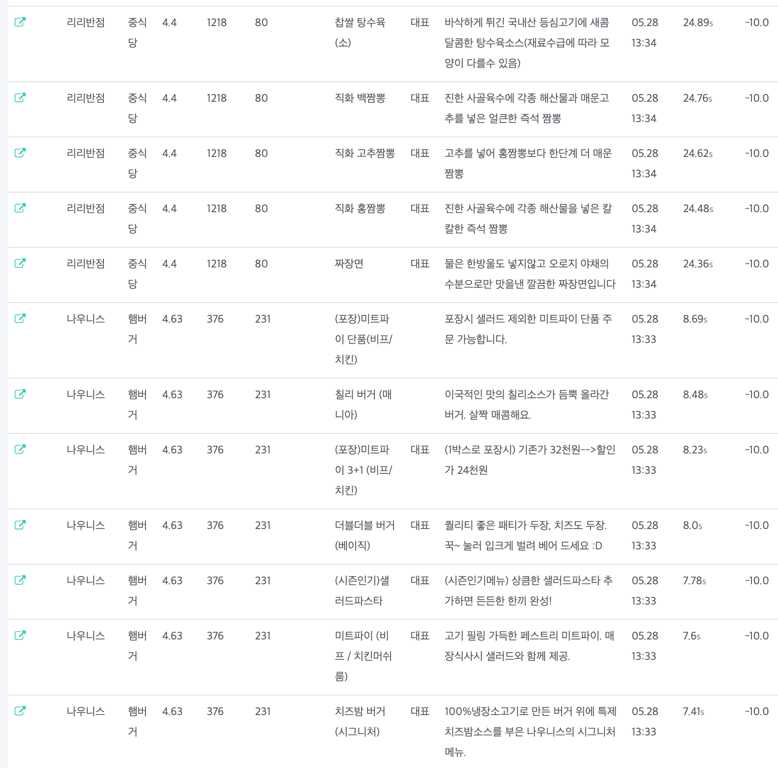
By utilizing Hashscraper's Naver Map Menu Collection Crawler, you can easily collect menu data of desired stores without complicated tasks. From copying and pasting SRID to collection progress and data verification, you can easily complete with just a few clicks.
Now, save time and efficiently proceed with data collection. Easily gather menu data and utilize it for your business!
Also, read this article:
Automate Data Collection Now
Start in 5 minutes without coding · Experience crawling 5,000+ websites


