

0. Is AWS (Amazon Web Services) just too complicated?
As much as it is full of useful features, Amazon Web Services (AWS) is notorious for its high level of difficulty for beginner developers.
Do you want to try using it but still hesitate?
In this post, I will share some tips on how to effectively utilize AWS.
1. How to use servers for free using AWS Free Tier
AWS provides a free tier called Free Tier.
It is crucial for beginner developers to utilize this free tier. With Free Tier, you can use EC2 instances, S3 buckets, RDS databases, etc. for free for one year.
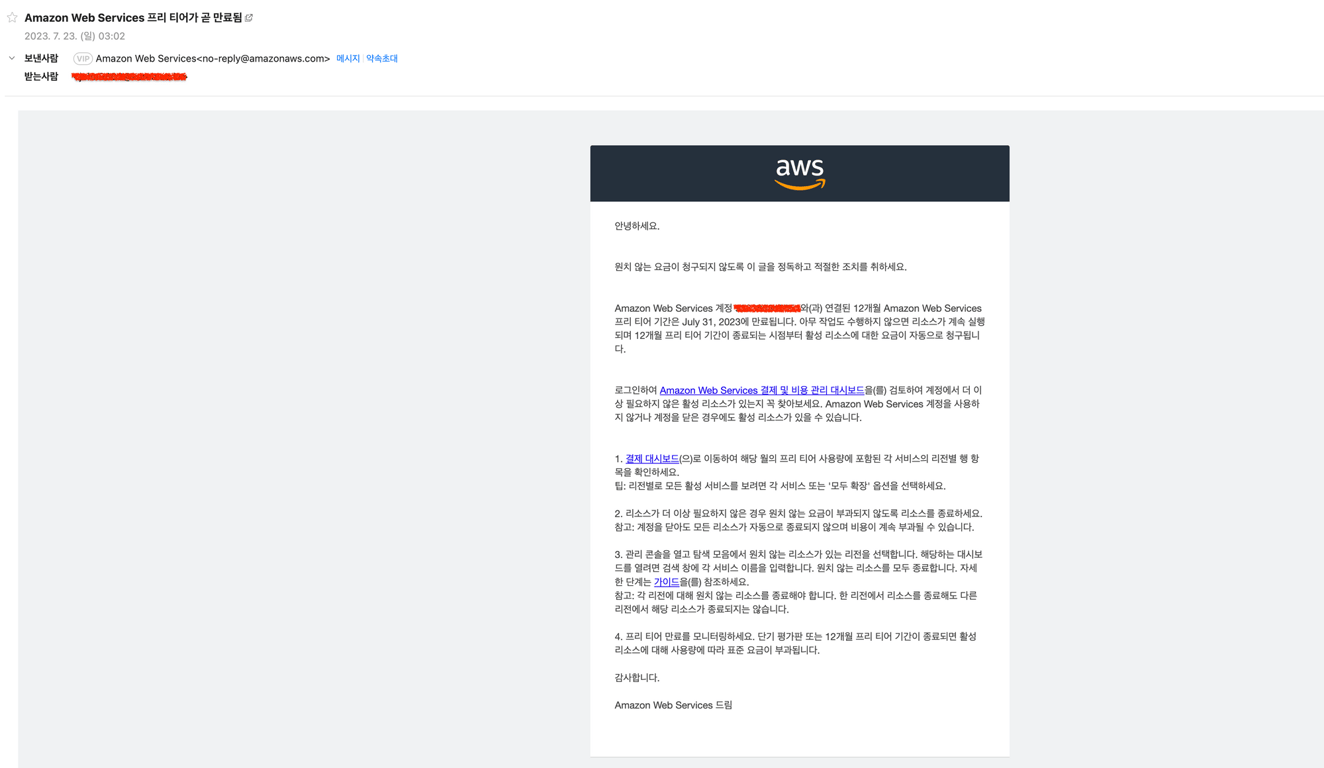
However, be careful as exceeding the Free Tier usage will incur charges. Make sure to check your email for Free Tier expiration notifications to prevent unexpected charges.
2. Using cost management and alarm settings to operate within a limited budget
Cost management can become a critical issue when using AWS.
Check the cost dashboard on the AWS console, set up cost budgets and alarms to prevent unexpected charges.
Through alarms, you can receive notifications when specific cost thresholds are exceeded, allowing you to proceed with development more securely.
3. Utilizing Tags
When creating resources, utilizing tags is very useful for identifying and managing resources in the future. By adding tags such as "project", "environment", "owner", you can classify and search for resources. This makes it easier to find necessary resources even in complex infrastructures.
Initially, it may seem tedious and overwhelming, but if you postpone it, it may become difficult to differentiate resources later on. If it becomes challenging to distinguish resources, maintaining and updating the developed projects will become difficult. Therefore, it is recommended to use tags in advance to pre-differentiate resources.
4. Setting up security measures using IAM (Identity and Access Management)
Manage permissions for users and groups using AWS Identity and Access Management (IAM). By granting only necessary permissions, you can enhance security. It is advisable to create IAM users instead of using the root account to manage the infrastructure.
When multiple people work on development using a single AWS account, there is a risk of exposing account information if everyone knows the AWS account. It can also be challenging to understand duplicated work areas. Therefore, it is recommended to restrict permissions by user using IAM and establish security measures.
5. Understanding Regions and Availability Zones
AWS provides multiple regions worldwide, each containing several availability zones. Understand the difference between regions and availability zones, and establish data backup and recovery strategies. Consider data transfer costs and latency between regions to select the optimal architecture.
When using AWS, you need to select a region. Within a region, there are multiple AZs (Availability Zones).
Each AZ has at least one data center, and even if they are in the same region, they are physically distant from each other.
This design is to prevent service disruptions if a single server exists in a specific region in the event of a natural disaster (flood, earthquake, fire). By having multiple AZs, if one place becomes inoperable, the service can continue from another data center.
In other words, it is designed to make backup easier structurally.
A notable negative case is the KAKAO data center fire incident. Due to the lack of distribution, the service stopped, resulting in significant losses for the company.
6. Utilizing AWS Documentation and Resources
AWS provides various documents, tutorials, and sample codes. When issues arise, you can find solutions by using official documents and community forums. I hope you periodically check for updates on AWS services and best practices in architecture through the link below and gradually learn and master the technologies.
Also, read this article together:
Automate Data Collection Now
Start web scraping in 5 minutes without coding · Experience with 5,000+ websites


